
The ability to embark on breathtaking aerial tours of the world’s most iconic landscapes, from the majestic peaks of Yosemite National Park to the rugged terrain of the Himalayas, has become accessible to anyone with an internet connection, thanks to Google Earth’s integrated flight simulator. This innovative feature, a sophisticated "Easter egg" that has evolved significantly since its introduction, provides a cost-effective and convenient alternative to expensive physical tours, allowing users to virtually explore diverse environments from the comfort of their homes.
A Digital Odyssey: The Evolution of Google Earth’s Flight Simulator
Originally launched in 2007 as a hidden feature within the desktop version of Google Earth, the flight simulator has undergone a remarkable transformation. Initially reported by CNET, the simulator was a closely guarded secret, a testament to Google’s penchant for embedding engaging functionalities within its mapping services. For years, its availability was limited to desktop users, a constraint that changed with the broader integration of Google Earth into web browsers. This expansion democratized access, allowing a wider audience to experience the thrill of virtual flight without the need for specialized software downloads or complex installations.
The core functionality of the flight simulator remains consistent: to provide users with an immersive aerial perspective of any location on Earth. By leveraging Google’s vast repository of satellite imagery and 3D mapping data, the simulator constructs realistic environments that users can navigate with a surprisingly intuitive control scheme. While the exact date of the web browser integration’s full implementation isn’t publicly detailed, its seamless inclusion signifies a strategic move by Google to enhance user engagement and highlight the advanced capabilities of its mapping platform. This evolution mirrors Google’s broader strategy of making complex geospatial data accessible and interactive for a global audience, fostering education, exploration, and even entertainment.
Navigating the Virtual Skies: Accessing and Controlling the Simulator
Accessing the Google Earth flight simulator is a straightforward process. Users are first directed to the Google Earth web application. From there, they can navigate to their desired geographical area of interest. This is typically achieved by utilizing the "Explore Earth" button, which serves as a gateway to discover curated locations or to directly search for specific landmarks, cities, or natural wonders.
Once a user has pinpointed their chosen destination on the map, the next step involves activating the simulator. This is done through a simple menu selection: typically by clicking on the "Tools" option within the interface, followed by selecting "Flight Simulator." This action seamlessly transitions the user into the virtual cockpit, offering an immediate aerial view of their selected location.
The controls, while requiring a brief learning curve, are designed for accessibility. Basic flight maneuvers are mapped to standard keyboard inputs:
- Pitch Down: Down Arrow Key
- Pitch Up: Up Arrow Key
- Roll Left: Left Arrow Key
- Roll Right: Right Arrow Key
More detailed control schemes and advanced maneuvers are often explained in dedicated help sections or developer documentation provided by Google, such as the information available on the Google Maps Platform documentation for the flight simulator. This ensures that even novice users can quickly grasp the fundamentals and begin their virtual expeditions. The simulator’s ability to render diverse terrains, from the jagged peaks of Mount Everest to the sprawling urban landscapes of major metropolises, showcases the remarkable progress in digital cartography and 3D rendering technology.
A World of Exploration: From National Parks to Mountain Peaks
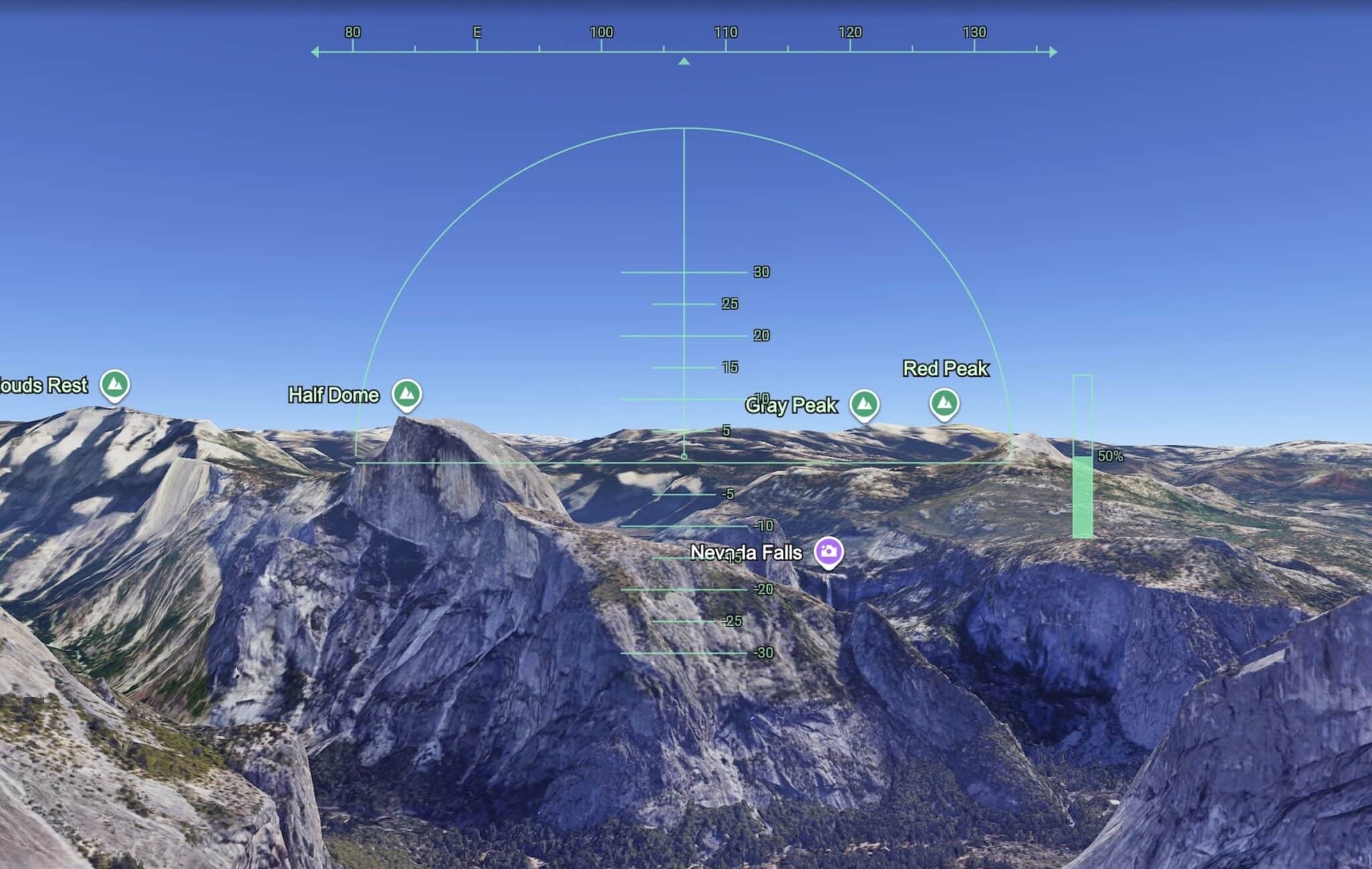
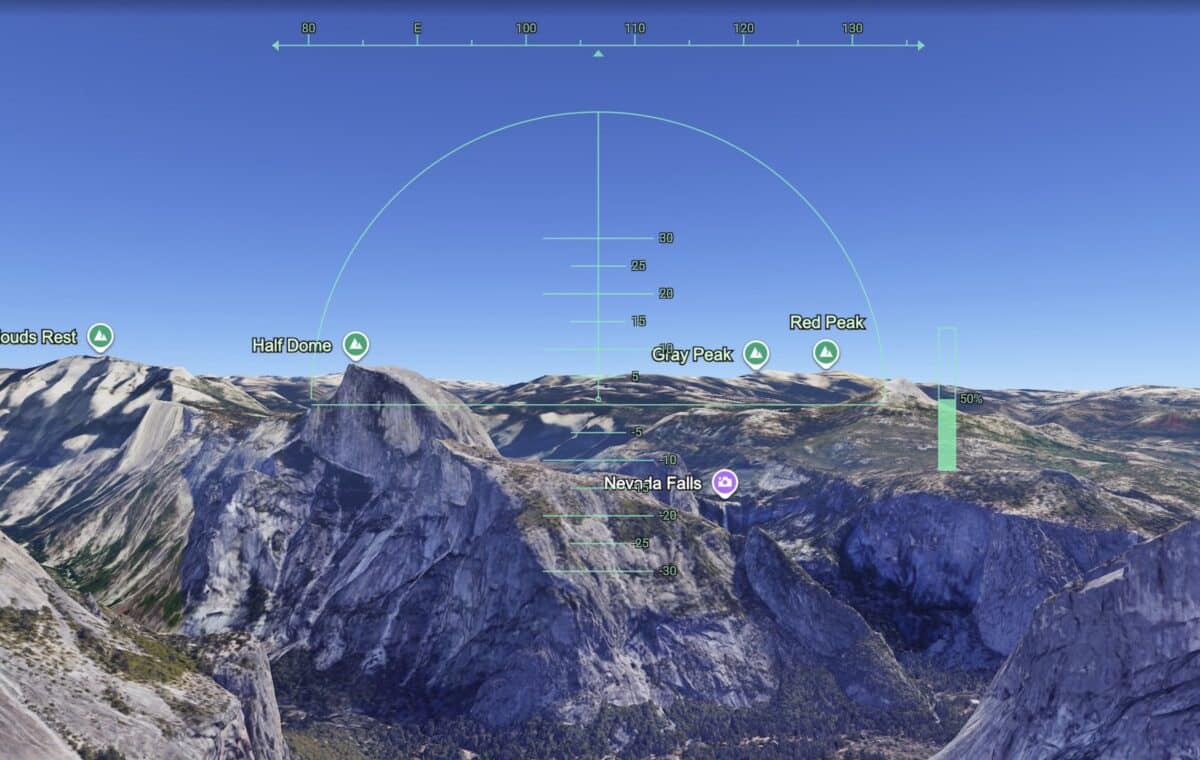
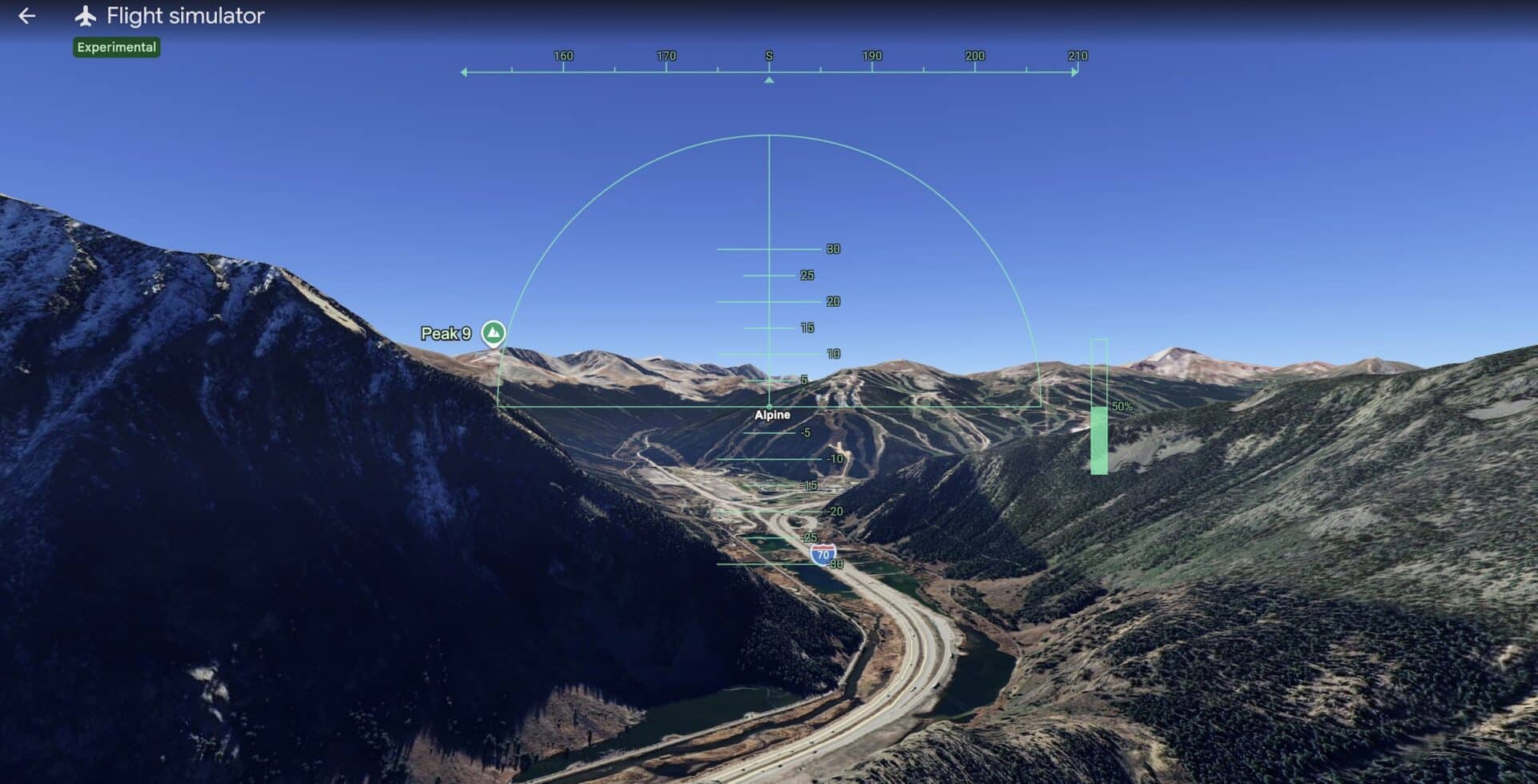
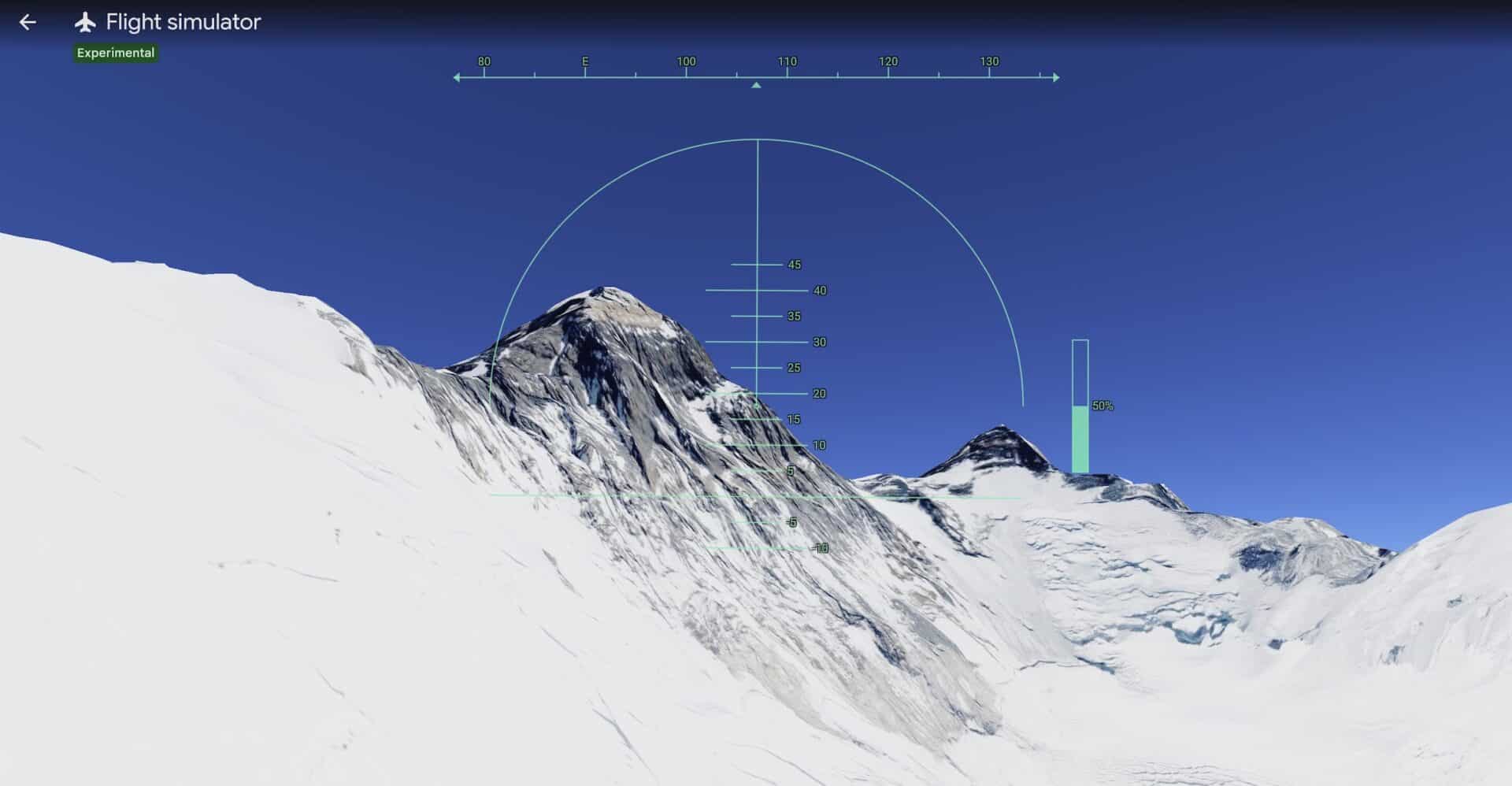
The appeal of the Google Earth flight simulator lies in its boundless potential for exploration. Users can embark on virtual expeditions to some of the planet’s most awe-inspiring locations. Imagine soaring over the iconic granite cliffs and waterfalls of Yosemite National Park, experiencing the grandeur of its natural beauty from a bird’s-eye perspective. Or perhaps take a simulated flight over Copper Mountain in Colorado, observing the intricate network of ski slopes and the surrounding alpine scenery. For those with a taste for extreme altitudes, the simulator allows for virtual journeys over the formidable Mount Everest, providing a sense of its immense scale and the challenging environment that climbers face.
The simulator’s capability extends beyond natural wonders. Users can also explore bustling cities, historical sites, and remote regions, all rendered with a degree of detail that is both impressive and educational. The ability to fly at various altitudes and angles allows for a comprehensive understanding of the geography and urban planning of different areas. This immersive experience offers a unique educational tool, allowing students and enthusiasts alike to learn about topography, geology, and human settlements in a dynamic and engaging way.
The underlying technology relies on a sophisticated combination of high-resolution satellite imagery, aerial photography, and advanced photogrammetry. Google Earth’s continuous efforts to update and enhance its data ensure that the virtual landscapes remain as accurate and detailed as possible. This commitment to data integrity is crucial for a tool that aims to replicate real-world exploration.
Beyond the Browser: Google Earth Pro and Enhanced Flight Experiences
While the browser-based flight simulator offers remarkable accessibility, Google provides an even more advanced option for dedicated virtual aviators: Google Earth Pro. This downloadable desktop application offers a richer and more nuanced flight simulation experience.
Key advantages of Google Earth Pro for flight simulation include:
- Aircraft Variety: Users can select from a wider range of aircraft, moving beyond the default planes offered in the web version. This adds an extra layer of realism and choice for virtual pilots.
- Airport Departures: Unlike the web simulator, which typically begins with the user already airborne, Google Earth Pro allows for the selection of airports as starting points. This enables users to experience the entire process of taking off, taxiing, and climbing into the virtual sky, mirroring real-world flight operations.
- Enhanced Controls and Features: Google Earth Pro often includes more sophisticated flight controls, potentially allowing for greater precision in maneuvering and a more immersive piloting experience.
The availability of Google Earth Pro caters to users who seek a more in-depth simulation, offering a bridge between casual virtual tourism and more serious flight simulation enthusiasts. The continuous development of these tools by Google underscores the company’s commitment to leveraging geospatial technology for diverse applications, from practical navigation to educational exploration and digital entertainment.
The Broader Impact: Virtual Tourism and Digital Education
The Google Earth flight simulator represents more than just a fun digital diversion; it has significant implications for virtual tourism and digital education. For individuals who are unable to travel due to financial constraints, physical limitations, or time restrictions, the simulator offers an invaluable opportunity to experience the world’s wonders remotely. This democratizes exploration, making iconic destinations accessible to a global audience regardless of their circumstances.
Furthermore, the simulator serves as a powerful educational tool. Geography students can gain a deeper understanding of landforms, ecosystems, and human settlements by virtually exploring different regions. Aspiring pilots can practice basic maneuvers and familiarize themselves with different geographical layouts. The ability to overlay data, such as historical information or geological data (available in more advanced versions or through integration with other Google Earth features), further enhances its educational potential.
The implications for industries such as tourism are also noteworthy. While not a replacement for actual travel, virtual tours can serve as powerful marketing tools, inspiring potential visitors and providing a preview of destinations. It can also aid in the planning stages of travel, allowing individuals to scout locations and plan itineraries with a more informed perspective.
The simulator’s inherent simplicity, combined with the vastness of the virtual world it unlocks, ensures its continued appeal. As technology advances, we can anticipate even more realistic rendering, more diverse aircraft options, and potentially even the integration of real-time weather data to further enhance the immersive experience. The Google Earth flight simulator stands as a testament to the power of digital innovation in expanding our horizons and making the world a more accessible and understandable place.
In conclusion, the Google Earth flight simulator, whether accessed through a web browser or the more robust Google Earth Pro desktop application, offers a captivating and accessible gateway to virtual aerial exploration. It transforms the way we perceive and interact with our planet, turning the dream of flight into a readily available digital reality for millions worldwide.

